
$49.55
Add to Cart
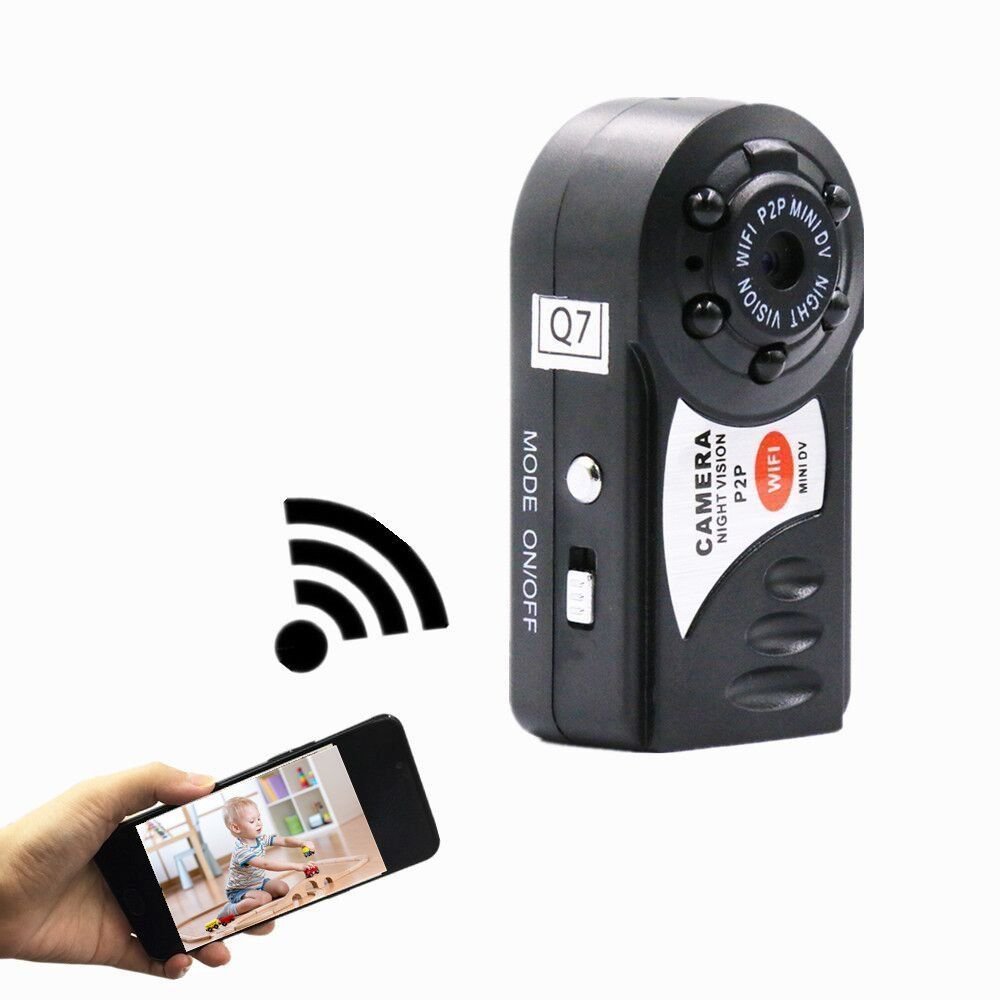
Mini Wifi DVR Video Camera Recorder Wireless Wi-fi IP Camcorder Night Vision
Only 1 available
Details
Shipping: Australia: free (more destinations)
Condition: Brand new
*The store has not been updated recently. You may want to contact the merchant to confirm the availability of the product.


Mini Wifi DVR Video Camera Recorder Wireless Wi-fi IP Camcorder Night Vision Camera with microphone Q7Item Description1. AP mode2. WiFi mode3. Mini size4. Supports remote viewing online via PC, phone, tablet and Android phone5. 5 LED IR night vision lamps6. Latest point-to-point WiFi technology.7. Supports iOS/Android phones with point-to-point monitoring8. Support iOS/Android phones with internet monitoring9. 24 hours continuous recording stored on TF card 10 with 32 GBDescription:Name of the WiFi/P2P network cameraAVI video formatM- JPEG video codingRemote video resolution 640 x 480 VGANetwork transmission resolution 320 x 240 QVGAVideo frame rate of 15 fps + 1 fps1/3" color CMOS sensor;Antenna 2.4G 802.11n, built-in WiFi antennaTF card for storage, can be extended to 32 GBRecords video and audio, playback via software on operating systemImage ratio 4:3Supports operating systems Windows, iOS and AndroidCharging voltage DC 5 VSupports Micro SD memory cards (TF cards)High capacity polymer lithium batteryPackage includes:1*main housing (without TF card)1*mount1*suction cup1*strap1*cable1*card reader1*manualHow to use:Please download the APP softwareThis camera uses APP software. Please download and install the software on your phone, the software name is "9527".(Or scan the two-dimensional code on the box to download)Connect the cameraThe video recording can be watched in real time and in two ways. The recording can be accessed at a short distance from the camera via the camera's own WiFi "Q7". For remote access from longer distances use your local WiFi network.This camera's WiFi has a range of approximately 40m. If you are outside of this range use the long-range remote viewing function.Short range WiFi connection:1. Put the camera in start mode (red light is on, blue light is flashing)2. Open the "wi-fi" or "wireless network settings" of your phone and find the camera's WiFi "Q7". Select the network and connect to the Wi-Fi "Q7" (Wi-Fi Password: 12345678).3. After the connection is established successfully, open the APP software "Plug&Play" in your phone.4.Select "Local Cameras" on the device screen and you will be able to see the camera imagelong-range WiFi connection:1. Put the camera in start mode (red light is on, blue light is flashing)2. Open the "Wi-Fi" or "Wireless network settings" in your phone, find the camera's WiFi "Q7", select it and connect the Wi-Fi "Q7" (Wi-Fi Password: 12345678).3. After the connection is established successfully, open the APP software "Plug&Play" on your phone.4. Select "Local Cameras" on the device. Then select "setting wireless network" -- enter your local wi-fi's name and password.5.If the P2P set-up is successful, the camera will restart6. Select the app software "Plug&Play" to login. Select "My Cameras" and insert the camera's ID number and password (the ID and password are located on the back of the camera housing). You will now see the camera image.Size: 46 x 15 x 22 mm (1.81 x 0.59 x 0.86 inch)POLICYWE ACCEPT ONLY PAYPAL & CREDIT CARD FOR PAYMENT THE PACKAGE WILL BE SHIPPED DIRECTLY FROM HONGKONG WITHOUT TRACKING NUMBER, AND IT WILL TAKE ABOUT 11-23 BUSINESS DAYS. 100% SATISFACTION GUARANTEE : IF YOU ARE NOT SATISFIED WITHTHE PRODUCT YOU PURCHASED FOR ANY REASON, PLEASE CONTACT USFOR A RETURN INSTRUCTION WITHIN 30 DAYS FOR A REFUND.RETURN SHIPPING COST WILL BE PAID BY BUYER. PLEASE CONTACT US BY eCRATER MASSAGE ONLY.


 CN, Hong Kong